







Menu
Consider a credit analyst at an NBFC on a Monday morning. On her desk is one MSME loan file with six months of bank statements from three different banks. That’s around 40 pages of transactions, each bank in its own format. She has to work out the borrower’s real income, spot any bounced EMIs and make sure nobody has edited the PDFs. Then she has to do it all again for the next file.
This is the problem a bank statement analyser solves.
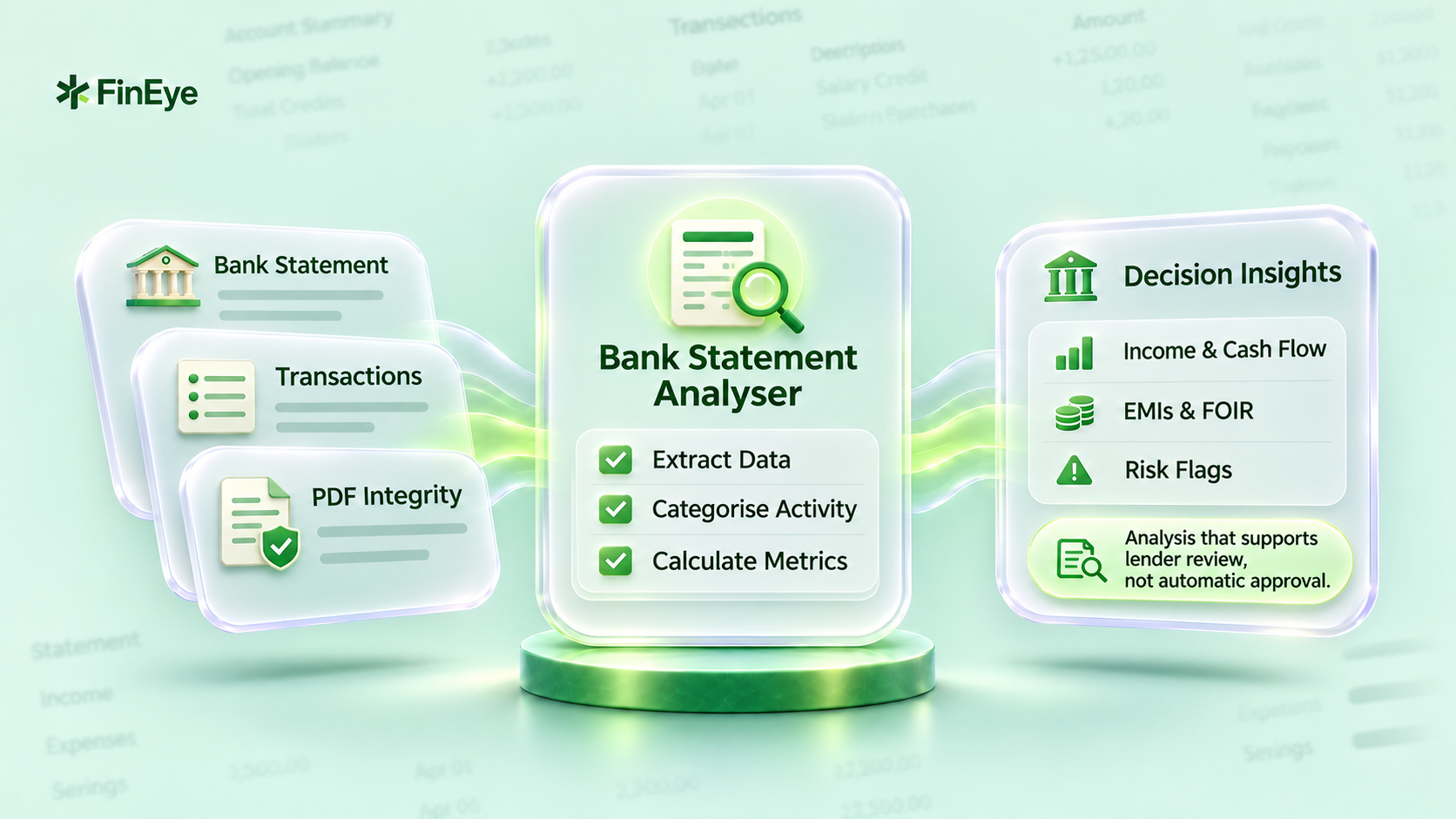
What is a bank statement analyser? A bank statement analyser is software that reads a borrower’s bank statements, sorts every transaction into categories and turns them into a clear report on income, expenses, cash flow and risk. Lenders use it to check whether a statement is genuine and to understand a borrower’s repayment capacity in minutes, not hours.
Let’s cover how a bank statement analyser works, what its report shows, how it catches tampered statements and how to choose the right one for your lending team.
A bank statement analyser is a software tool that automatically reads bank statements and converts them into decision-ready insights for lenders. Instead of an analyst going through every line by hand, the bank statement analysis software extracts each transaction, labels it and calculates the numbers that matter for a loan decision.
A good bank statement analyser tool helps a lender answer three simple questions:
Bank statement analysis is the process of reviewing a borrower’s statements to understand their finances. Lenders have always done it. What’s changed is how. Here’s how a manual review compares with an automated bank statement analyser:
| Manual Review | Automated Bank Statement Analyser | |
| How It Works | Analyst reads each page, often copying figures into Excel | Software extracts and categorises every transaction automatically |
| Time Per File | Grows with every page and every extra bank account | Stays short, even for long or multi-bank statements |
| Consistency | Depends on who reviews the file and how tired they are | Same rules applied to every file |
| Tamper Detection | Only edits visible to the eye | Checks file data and maths that the eye can’t see |
| Multiple Banks | Each format read separately, then combined by hand | Statements from different banks combined into one view |
| Scaling Up | Needs more analysts | Handles more files without extra hiring |
An AI-driven bank statement analyser follows five simple steps, from the moment a statement arrives to the moment the lender sees a report.
The borrower shares their statement in one of two ways. They can upload a PDF through a bank statement analyser online portal or the lender’s app. Or they can give consent through the Account Aggregator (AA) framework, which sends the data directly from their bank.
Every bank formats its statements differently. A bank statement analyser AI reads each format, including scanned copies and password-protected PDFs, and pulls out the date, description, amount and balance for every transaction.
Next, each transaction gets a label. For example, “NEFT-RAVI ENTERPRISES” becomes customer payment, “ACH-HDFC LOAN” becomes EMI and “GST CHALLAN” becomes tax payment. This is where the AI does most of the work, because transaction descriptions are often short and messy.
With everything labelled, the analyser calculates the numbers a lender needs: monthly income, expenses, average balance, existing EMIs and how the money moves over time.
Finally, the analyser highlights anything unusual, such as bounced payments, sudden large deposits or signs that the PDF was edited. The lender gets one clear report instead of 40 pages of raw transactions.
A bank statement analyser report gives a lender a quick, complete picture of the borrower’s finances. It usually covers:
Let’s make this real with a simple, made-up example. Sharma Traders, a small wholesaler, applies for a ₹15 lakh working capital loan. Their October current account statement shows ₹12,40,000 in total credits. At first glance, that looks like a business earning over ₹12 lakh a month.
Here’s what the bank statement analyser finds when it breaks those credits down:
| Credit Type | Amount | Counted as Income? |
| Customer Payments (UPI, NEFT, cheques) | ₹8,20,000 | Yes |
| Cash Deposits | ₹70,000 | Yes, but flagged for a closer look |
| Transfer from the Owner’s Own Savings Account | ₹1,50,000 | No, it’s a self-transfer |
| Disbursal from an Existing Business Loan | ₹2,00,000 | No, it’s borrowed money |
| Total Credits | ₹12,40,000 | |
| Real Business Income | ₹8,90,000 |
So the borrower’s real monthly income is about ₹3.5 lakh lower than the statement first suggests.
The analyser also spots three more things:
None of this means Sharma Traders should be rejected. It means the lender now sees the true picture and can price the loan, set the limit or ask the right follow-up questions.
A PDF bank statement is easy to edit with free tools, and a well-edited file can look perfect to the human eye. That’s why lenders use a bank statement analyser as bank statement verification software too. It looks at the file in ways a person can’t:
A flag doesn’t always mean fraud. For example, a borrower might simply have printed the statement to PDF again. The analyser highlights the issue so the analyst knows exactly where to look.
Want to go deeper? Read our guide on ‘How to Detect Fake or Tampered Bank Statements’
Any business that lends money or checks someone’s financial health can use a bank statement analyser. The most common users are:
| Who | What They Use it For |
| NBFCs | Underwriting personal, business and secured loans quickly and consistently |
| Banks | Checking income and existing debt for retail and MSME loan applications |
| Fintechs and Digital Lenders | Fast, high-volume decisions for small-ticket and instant loans |
| MSME Lenders | Reading business cash flow when audited financials are thin or missing ([Internal link: MSME Loan Underwriting use case]) |
| Co-lending Partners | Applying the same review standard across both lenders |
| Insurers | Checking income and financial standing for high-value policies |
There’s no single best bank statement analyser for everyone. The right one depends on your loan products, your borrowers and your volumes. Use this checklist when comparing bank statement analyser software:
FinEye’s Bank Statement Analyser is built for lending teams that deal with both kinds of statements every day.
Want to see how it works on your own statements? Book a demo.
Yes. Most banks let you view and download your statement through net banking, the bank’s mobile app or e-statements sent to your email. A bank statement analyser is different. It’s a tool lenders use to read and check the statements that borrowers share with them.
A reliable bank statement analyser online should use consent-based access, keep data encrypted and follow India’s data protection rules, including the DPDP Act. Before choosing one, ask the vendor how they collect, store and delete borrower data.
Bank statement analysis looks at what the statement says: income, expenses, EMIs and cash flow. Bank statement verification checks whether the statement is genuine and hasn’t been edited. A good bank statement analyser does both.
Yes. It checks the file’s hidden data, fonts, layout and balance maths to flag statements that may have been edited. An analyst should still review each flag before making a final call.
Many do, including FinEye’s. AA data comes directly from the bank in a structured format after the borrower gives consent, so it doesn’t need the same tamper checks as a PDF.
Most lenders ask for six months of statements. For business loans or larger amounts, they may ask for 12 months or more. The exact period depends on the lender’s credit policy.
Some tools offer free trials or a few free uploads. Bank statement analysers built for lenders are usually paid tools, priced on volume and offered through a demo.
AI bank statement analysis uses artificial intelligence to read statements in any format, label each transaction and spot unusual patterns. It’s especially useful for messy transaction descriptions that simple rule-based tools struggle to understand.

Content strategist and SEO writer with 2+ years of experience creating high-performing, brand-aligned content for leading insurance and financial services companies. Skilled in translating complex financial-related concepts into engaging, SE0-optimized content that drives organic traffic, brand awareness, and lead generation. Adept at leveraging AI tools for content optimization while maintaining brand voice and editorial quality.


 Featured
November 18, 2026
To evaluate a bank statement analyser, you should check five major areas: data coverage and accuracy, quality of analysis, speed and integration,…


 Featured
November 16, 2026
The biggest red flags in a bank statement are EMI and cheque bounces, frequent negative balances, irregular income, hidden loans and unexplained…
 Featured
November 16, 2026
Credit underwriting is how an NBFC decides whether to give a loan, how much to give, and at what interest rate. In…